
Topic 5 / 8 · In the app: Settings › Help & guide
Today’s totals and closing the day
The business day
- Your first sale opens a business day. Home shows its totals.
What Home shows
- Sales this business day and the number of sales.
- How sales were paid: cash, e-wallet and utang.
- Money received: cash from sales plus utang payments in cash. E-wallet received is shown separately.
- New utang and utang collected this business day.
- Gross profit: an estimate from buying costs. Items without a buying cost are left out, and the app says so.
What the app does not calculate
- The starting cash in your drawer, expenses, and net profit.
Close the business day
- Tap Close business day when your store day ends, even after midnight. The totals are kept, and the next sale starts a new day. Nothing is deleted.
Past days and reports
- The Sales tab shows Total sales and other totals for today, yesterday, 7 or 30 days, or dates you choose, plus your past business days.
Share a sales report
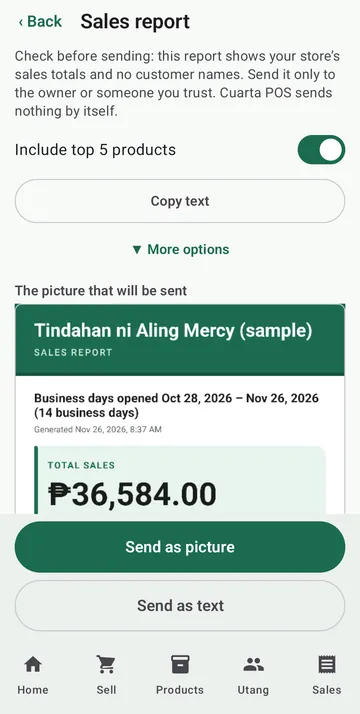
- On Sales, tap Share report. Send it as a picture or as text in Messenger or SMS. It shows totals only, no customer names.
- Utang paid in the period is money received for earlier utang. It is not added to Total sales.
- Save as PDF and Save as spreadsheet (.csv) are under More options.
Still stuck? Email support@cuartapos.com. Please do not send your recovery code, passwords or customers' private information.