
Topic 3 / 8 · In the app: Settings › Help & guide
Stock and Needs attention
How stock works
- Stock is counted in each product’s smallest unit. Every sale lowers it automatically.
- Open a product to see its Stock history: sales, stock received, counts and removals.
Receive, count and remove stock
- Receive stock: when goods arrive, enter the quantity (and the buying cost if you know it).
- Count stock: enter what is really on the shelf. The difference is saved with your reason.
- Remove stock: for damaged, expired, personal or family use, or other reasons.
Needs attention
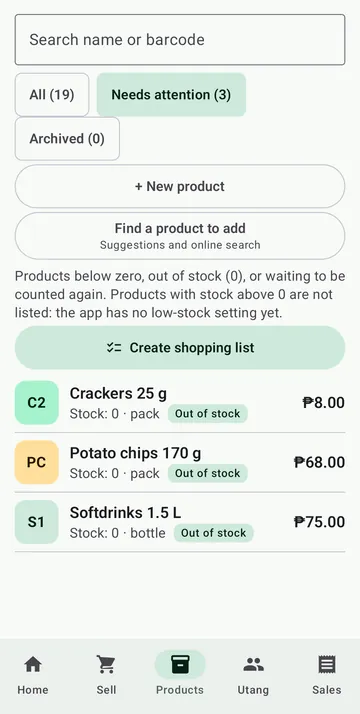
- Products › Needs attention lists products that are below zero, out of stock (0), or waiting to be counted again.
- The app has no low-stock setting yet, so a product with stock above 0 is not listed.
Why stock can go below zero
- Cuarta POS never blocks a sale because the recorded stock is 0: the item may be on the shelf even if it was not recorded.
- If sales take the recorded stock below zero, the product is marked Count again. Count the shelf and save the real number.
Still stuck? Email support@cuartapos.com. Please do not send your recovery code, passwords or customers' private information.