
Topic 4 / 8 · In the app: Settings › Help & guide
Utang (lista) and payments
Sell on utang (lista)
- At Checkout choose Utang, then choose the customer or add a new name.
- If the customer pays part now, type it in Paid now. The rest is added to their utang.
See who owes you
- The Utang tab shows the total owed to you and each customer’s balance, largest first.
Record a payment (full or partial)
- Open the customer › Record payment. Type any amount up to the balance, or tap Full.
- Choose cash or e-wallet. A payment lowers the utang and is added to money received. It never changes stock.
- E-wallet payments are recorded as you mark them; Cuarta POS does not check them with GCash or Maya.
Statements
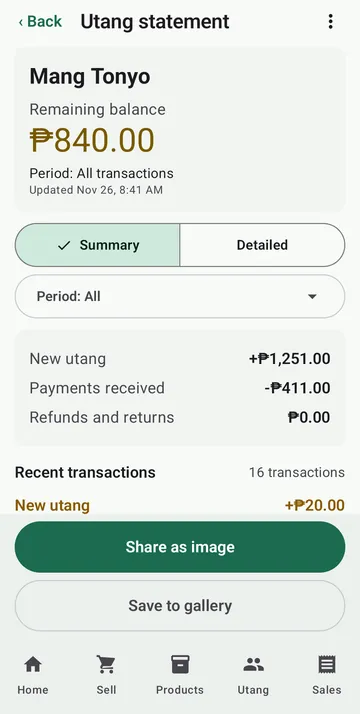
- Open the customer › View statement to see their utang and payments, as a summary or in detail.
- You can share it as an image. Check the preview first, and send it only to that customer or someone they trust.
- A statement is not an official receipt or BIR invoice.
Still stuck? Email support@cuartapos.com. Please do not send your recovery code, passwords or customers' private information.